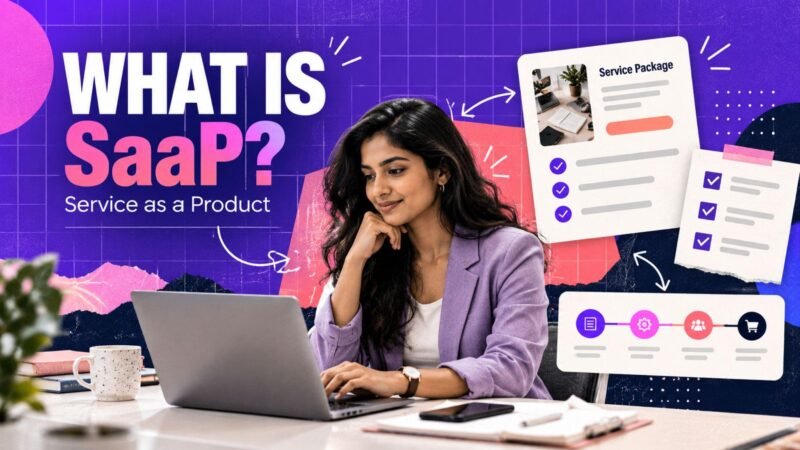

Starting an online business can open new opportunities for small sellers, independent entrepreneurs, artisans, manufacturers and service providers across India. With an online marketplace, businesses can showcase their products, connect with potential customers and develop their digital presence without necessarily building an independent e-commerce website from the beginning.
However, choosing the right platform is an important step. Sellers need to consider their product categories, target audience, business requirements, seller policies and available support before deciding where to list their offerings.
If you are searching for the best online marketplaces in India, understanding how these platforms work can help you make an informed decision. Whether you sell physical products, create digital resources or provide professional services, the right marketplace should align with your business goals.
vCue Store is a multi-category online marketplace that brings together physical products, digital products and Service as a Product (SaaP). It provides an option for eligible sellers who want to explore different ways of presenting their offerings online.
In this guide, you will learn how to choose an online selling platform, prepare your products for listing, improve product visibility and build a sustainable online business in 2026.
Why Online Marketplaces Matter for Small Sellers
An online marketplace provides a digital environment where sellers can present their offerings to potential customers. Depending on the platform, it may also provide tools for product discovery, order management, seller onboarding and customer communication.
For small businesses, this can simplify certain parts of entering the online market.
Reach Potential Customers Online
A physical shop often depends on customers visiting a specific location. Online selling allows businesses to showcase their products digitally and potentially reach customers beyond their immediate area.
The actual reach depends on the marketplace’s audience, product availability, delivery arrangements and marketing efforts.
Showcase Different Products
Small sellers can use online listings to explain product features, display photographs and communicate important details.
Well-organised product pages help customers understand what is available and decide whether an offering suits their needs.
Build a Digital Business Presence
An online marketplace can provide a structured way to present a business and its catalogue.
Sellers can use clear product descriptions, accurate information and consistent branding to establish a professional online presence.
Explore Different Business Models
Online commerce is not limited to selling physical goods. Depending on the platform, businesses may also offer digital downloads, creative resources and professional services.
This flexibility can help entrepreneurs choose a model that matches their experience and capabilities.
What Should Small Sellers Look for in an Online Marketplace?
Before selecting an online selling platform in India, assess whether it supports your products, business requirements and long-term objectives.
Product Category Support
Start by checking whether the marketplace accepts the products or services you intend to sell.
For example, a business selling handmade jewellery needs suitable physical-product listings, while a designer creating downloadable templates needs support for digital products.
Seller Registration Requirements
Review the documents and information required during onboarding.
Depending on the platform and business model, sellers may need business details, identity verification, bank information or relevant tax documentation.
Preparing the required information in advance can make the onboarding process easier.
Product Listing Features
A suitable platform should make it possible to communicate essential product information clearly.
Look for options to add product titles, descriptions, photographs, specifications and relevant category information.
Order and Customer Support
Understand how the marketplace handles customer enquiries, order updates, returns, refunds and other support matters.
Clear policies help sellers understand their responsibilities and provide customers with consistent information.
Opportunities for Business Growth
Consider whether the platform can accommodate your future plans.
For example, you might initially sell physical products and later explore digital resources or packaged professional services. The availability of these options depends on the platform’s current features and seller requirements.
Introducing vCue Store: An Online Marketplace for Small Businesses
vCue Store is a multi-category marketplace designed to present different types of products and services in one online environment.
Sellers can explore the platform according to their business model and the categories they are eligible to list in.
Visit the vCue Store homepage to explore its marketplace and available categories.
Physical Products
Physical products include tangible items that customers can purchase and receive through an appropriate delivery arrangement.
Examples of categories presented on vCue Store include:
- Jewellery and accessories.
- Fashion products and bags.
- Electronics and office products.
- Grocery and gourmet products.
- Baby products and toys.
- Sports, fitness and outdoor products.
- Home and lifestyle items.
Businesses interested in selling tangible goods can explore the vCue Store physical products catalogue.
Before listing a product, sellers should prepare accurate specifications, clear photographs and relevant fulfilment information.
Digital Products
Digital products are resources that customers can access or download electronically, subject to the delivery method supported by the platform.
Examples can include templates, software resources, design assets and other downloadable materials.
For creators, digital products offer a way to distribute their work without the same physical inventory and shipping requirements associated with tangible goods.
However, successful digital selling still requires useful products, accurate descriptions, appropriate usage rights and customer support.
Service as a Product (SaaP)
Service as a Product, or SaaP, involves presenting a service as a clearly defined offering that customers can understand and request.
For example, a professional might package a specific design task, content service or marketing deliverable into a defined service offering, where supported by the platform.
A clear service listing should explain what the customer receives, the expected delivery process and any relevant requirements.
This approach can help professionals communicate their expertise and make their services easier for potential customers to understand.
Explore Seller Registration
If you want to sell through vCue Store, visit the Become a Seller page.
Review the current eligibility requirements, registration steps, verification process and applicable seller policies before submitting your information.
How to Start Selling Online as a Small Business
Choosing a marketplace is only one part of establishing an online business. You also need a clear product strategy, accurate listings and a process for managing customers.
Step 1: Identify Your Business Idea
Begin by deciding what you want to sell.
Your idea could be based on an existing business, a creative skill, a product category you understand or a service you can deliver reliably.
Consider these questions:
- Who is likely to need your offering?
- What problem does it solve?
- What makes it useful to customers?
- Can you maintain consistent quality?
- Can you fulfil orders or deliver services reliably?
Avoid selecting a product solely because it appears popular. Research customer demand and understand the practical requirements of delivering your offering.
Step 2: Research Your Target Audience
Understanding your audience helps you prepare more relevant product listings and marketing content.
Consider customers’ preferences, common questions, intended uses and expectations.
For example, customers exploring school bags may want to understand the bag’s dimensions, compartments, material and suitability for everyday use.
A seller who answers these questions clearly can help customers make more informed purchasing decisions.
Use customer feedback, relevant search queries and product research to identify information that should appear in your listings.
Step 3: Prepare Your Product Catalogue
Organise your products into clear categories.
Use descriptive product titles and include the specifications customers need to understand the offering.
For physical products, provide relevant information about materials, dimensions, colour, care instructions and intended use.
For digital products, explain the file format, contents, compatibility and access method where relevant.
For services, describe the deliverables, expected process, customer responsibilities and completion requirements.
Accurate information can help reduce confusion and improve the customer experience.
Step 4: Create High-Quality Product Listings
Product listings are an important part of your online presence.
Write Descriptive Titles
Use natural language that clearly identifies the product.
For example, a title such as “Reusable Stainless Steel Water Bottle” gives customers more information than a generic title such as “Bottle.”
Include important attributes when they are accurate and relevant.
Use Clear Images
Choose well-lit photographs that represent the actual product.
Show different angles and important details where appropriate. Avoid misleading images that create expectations the product cannot meet.
Write Helpful Descriptions
Explain the product’s features, specifications and intended uses.
Avoid excessive promotional language and unsupported claims. The goal is to help customers understand what they are considering.
Use Relevant Keywords Naturally
Include relevant search terms in titles, descriptions and other appropriate listing fields.
Do not repeat keywords unnaturally. Clear, useful content is more valuable than descriptions written solely to repeat search phrases.
Step 5: Understand Your Business Responsibilities
Before accepting orders, review the legal, tax and operational requirements relevant to your business.
Depending on your activities, you may need appropriate business documentation, tax registrations, product permissions or other compliance measures.
For example, GST requirements depend on the applicable rules and the seller’s circumstances. Consult official government guidance or a qualified professional if you are uncertain about your obligations.
You should also understand the platform’s rules regarding prohibited products, order fulfilment, customer complaints, returns and refunds.
Step 6: Promote Your Online Store
Product listings need to be discoverable by the right audience.
You can improve visibility by publishing useful content, sharing relevant product information and maintaining a consistent online presence.
Use Search Engine Optimisation
SEO helps you improve how your web pages and product content are understood by search engines.
Focus on relevant keywords, descriptive titles, useful content, logical page structures and appropriate internal links.
Where you manage your own website, ensure that important pages can be crawled and indexed correctly.
Share Useful Social Media Content
Use social media to demonstrate product features, answer common questions and explain how your offerings can be used.
Avoid relying entirely on promotional posts. Educational and informative content can help potential customers understand your products.
Encourage Honest Feedback
Invite customers to share genuine feedback about their experience.
Use this information to improve product descriptions, service quality and fulfilment processes. Never fabricate reviews or misrepresent customer experiences.
Maintain Consistent Communication
Respond to customer enquiries clearly and provide accurate information about order status and delivery expectations.
Reliable communication helps build trust and supports a more professional buying experience.
Step 7: Monitor Performance and Improve
Once your products are listed, evaluate their performance regularly.
Review available data about product views, enquiries, orders and customer feedback.
Look for patterns that can guide improvements. If customers repeatedly ask about a particular product specification, make that information easier to find in the listing.
If a product receives attention but few enquiries or orders, review its images, description, relevance and customer appeal.
Make changes based on evidence rather than assumptions, and avoid expanding your catalogue faster than you can manage it.
Common Mistakes Small Sellers Should Avoid
Online selling offers opportunities, but it also requires planning and ongoing attention.
Choosing Products Without Research
A product may seem attractive without having sufficient demand. Research the intended audience and consider whether you can offer something useful and competitive.
Using Incomplete Product Descriptions
Missing specifications can make it difficult for customers to understand an item.
Provide clear, accurate information about the features that matter most.
Ignoring Customer Questions
Unanswered questions can create uncertainty. Provide relevant information in listings and respond professionally to enquiries.
Expanding Too Quickly
Adding too many products at once can make catalogue management and fulfilment difficult.
Start with a manageable selection and expand when you can maintain quality and service standards.
Neglecting Marketplace Policies
Every marketplace has its own requirements. Review the current seller policies and follow the relevant procedures for listings, customer service and fulfilment.
How vCue Store Fits into Your Online Selling Journey
For businesses looking to explore a multi-category marketplace, vCue Store provides an environment featuring physical goods, digital products and Service as a Product.
This variety may be useful for sellers whose business models extend beyond traditional retail merchandise.
A small business might focus on tangible products, a creator might develop downloadable resources, or a professional might offer a clearly defined service.
The right approach depends on your skills, the needs of your customers and the platform’s current eligibility requirements.
To learn more about the platform’s published policies, visit the vCue Store Terms and Conditions.
If you need additional assistance, you can also consult the vCue Store Help Center.
These resources can help you understand the platform and identify the information you need before proceeding with seller registration.
Conclusion
Finding the best online marketplaces in India starts with understanding your business rather than choosing a platform based only on popularity.
Consider what you want to sell, who your customers are, what support you need and how you plan to manage your business over time.
Prepare accurate listings, research customer demand, follow applicable regulations and focus on providing a reliable buying experience.
vCue Store offers a multi-category marketplace featuring physical products, digital products and SaaP, giving eligible sellers different types of offerings to explore.
Ready to take the next step? Visit vCue Store and explore the seller registration process to learn more about joining the marketplace.
Frequently Asked Questions (FAQs)
1. What are the best online marketplaces in India for small sellers?
The best marketplace depends on your product category, target audience, seller requirements and business objectives. Compare each platform’s features and policies before deciding where to list your products.
2. How can small sellers start selling online in India?
Start by selecting a suitable product or service, researching customer demand, preparing your catalogue and choosing an appropriate online marketplace. Review seller requirements before registering.
3. Can I sell online without creating my own website?
Yes. Eligible sellers can use an existing marketplace to present their products without necessarily developing a separate e-commerce website.
4. What can I sell on vCue Store?
vCue Store presents physical products, digital products and Service as a Product. The products and services you can list depend on the platform’s current category availability and seller eligibility requirements.
5. Can I sell digital products through an online marketplace?
Yes, where the platform supports digital products and your offering meets its requirements. Digital products can include templates, downloadable resources and other eligible digital materials.
6. What is Service as a Product (SaaP)?
Service as a Product involves packaging a professional service into a clearly defined offering. A listing should explain the deliverables, process and customer requirements.
7. How can I improve my product listings?
Use descriptive titles, clear images, accurate specifications and helpful descriptions. Include relevant keywords naturally and ensure your content answers common customer questions.
8. Do I need business documents to register as an online seller?
Requirements vary by platform and business type. Sellers may need identity, business, banking or tax documentation. Review the relevant onboarding instructions before applying.
9. How can small sellers promote their products online?
Sellers can work on SEO, publish useful social media content, improve product descriptions and encourage genuine customer feedback. Results depend on product relevance, competition and execution.
10. How do I become a seller on vCue Store?
Visit the vCue Store Become a Seller page, review the current eligibility criteria, submit the requested information and follow the platform’s verification and onboarding process.